
Find&Tell Charts
for Figma
Beautiful Charts for Storytelling
Create presentation-ready data visualizations in seconds.
Use directly in Figma or on the web for PowerPoint, Google Slides, and Keynote.
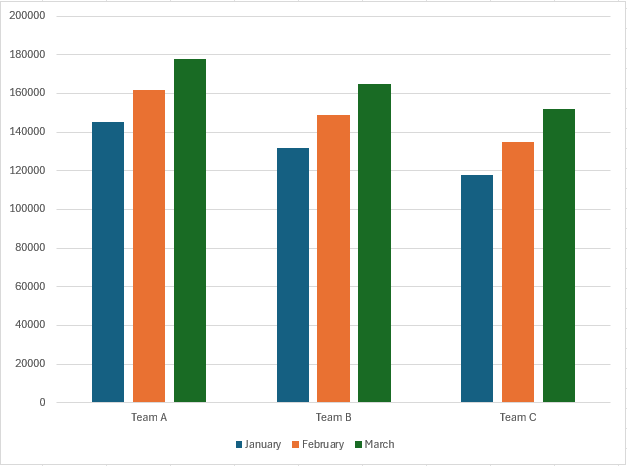
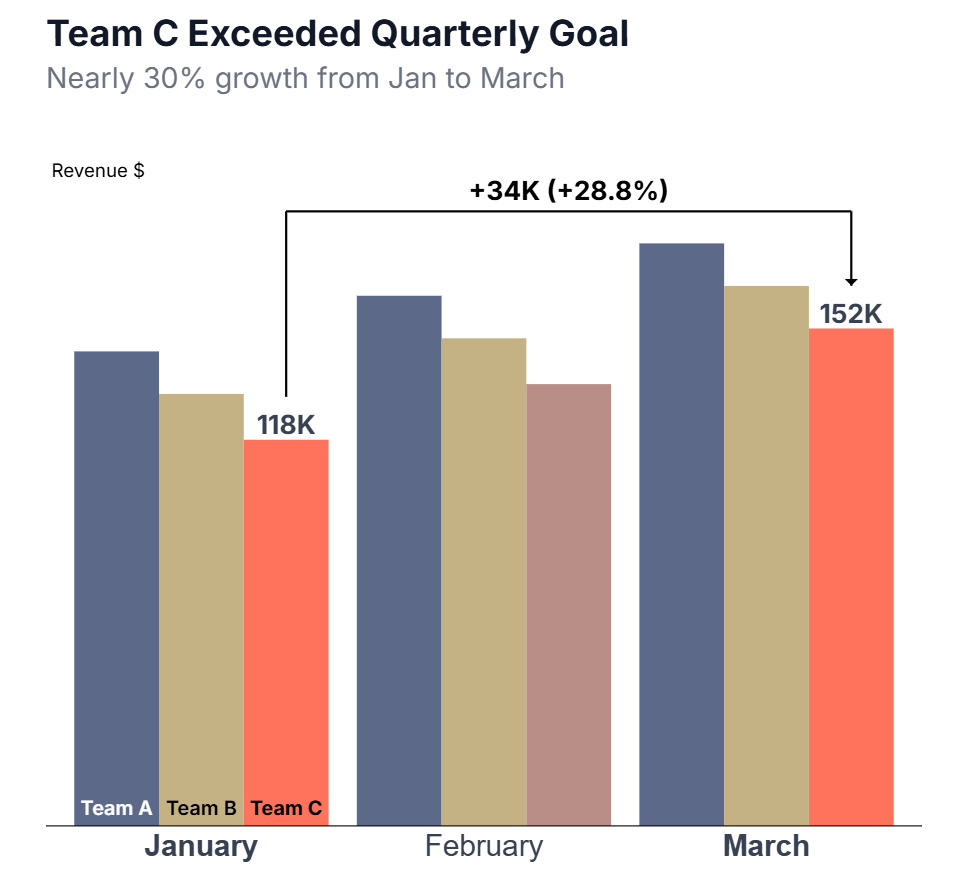
Your charts shouldn't be the ugly part of your data story.
You have a powerful insight. Your audience needs to act. But every spreadsheet chart makes it look like a 5th grader made it.
Find&Tell Charts fixes that.
How it Works
Professional charts in four simple steps.
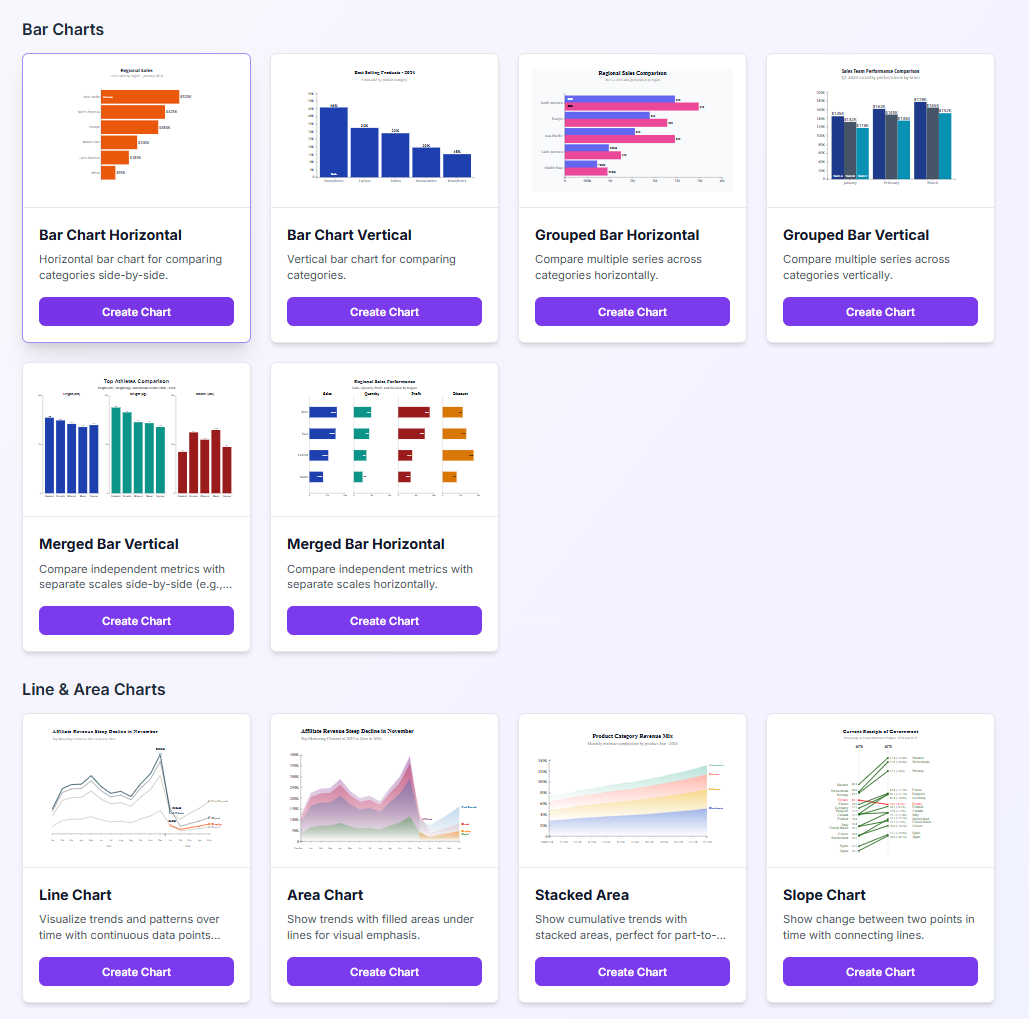
Pick your chart
Bar, line, funnel, slope—charts built for business storytelling.
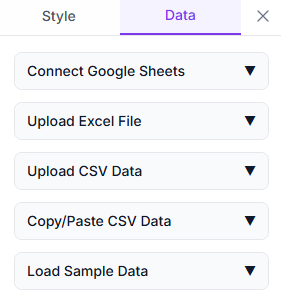
Paste your data
Copy from any spreadsheet, upload Excel file, CSV, or connect to a Google Sheets.
Style everything
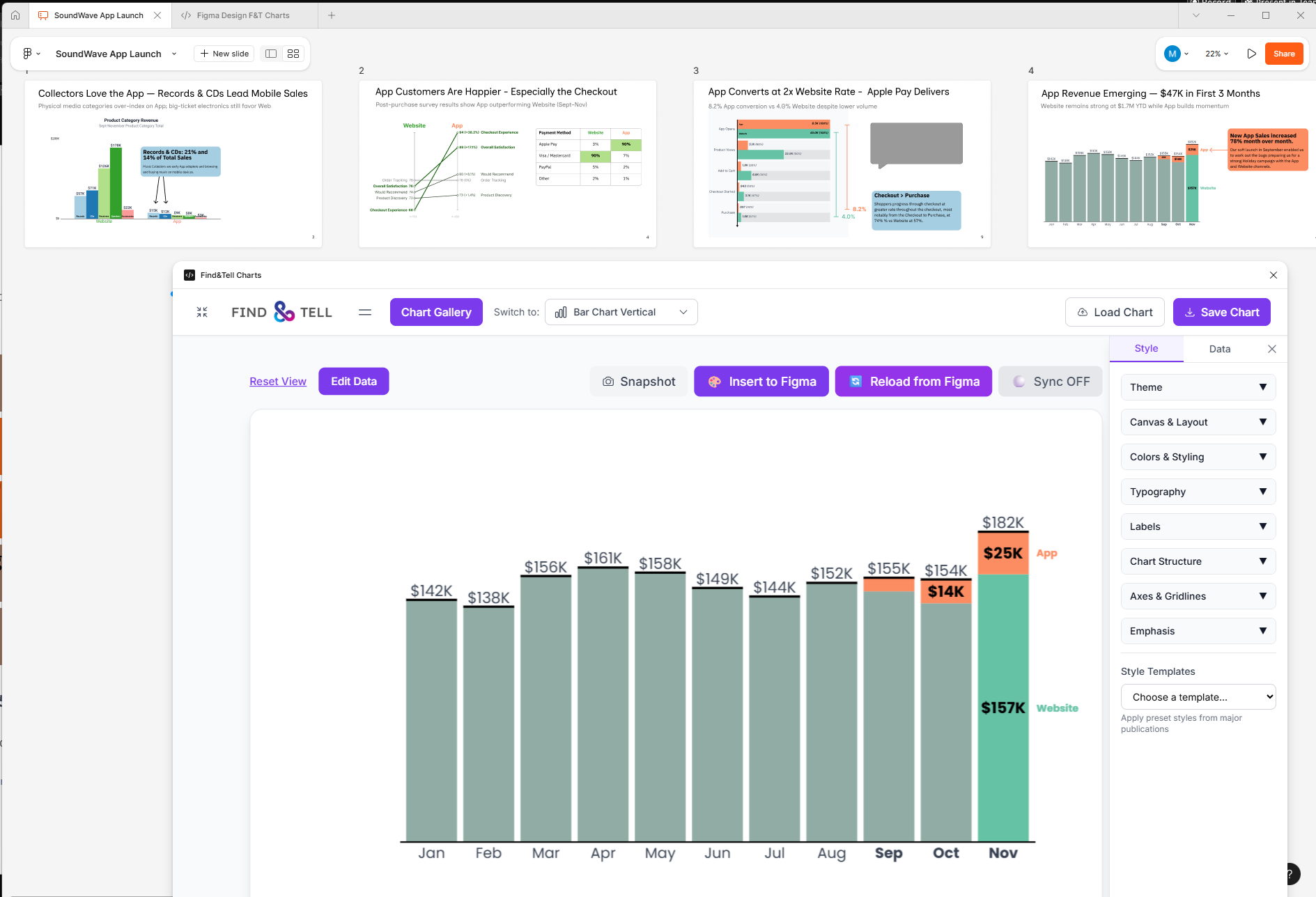
Colors, fonts, labels. Emphasize the story
Use it anywhere
Insert SVG charts into Figma as native elements, or download as SVG or PNG for any presentation tool.
Watch a Demo of Find&Tell Charts in Action
Free Trial
Try Pro free for 7 days.
Full access, no commitment.
Charts Pro
Full access to all chart types and features.
Charts Pro - Early Bird
Get Pro forever at our special early bird launch price.
Frequently asked questions:
-
Do I need Figma to use Find&Tell Charts?
No. The web app works in any browser at charts.findandtell.co. Create charts and download them for PowerPoint, Google Slides, Keynote, or any presentation tool. The Figma plugin is optional—use it if you want to build charts directly inside Figma.
-
Can I try it before paying?
Absolutely. The 7-day Free Trial gives you full Pro access—all chart types, all features. You can also use the Demo anytime (no signup) to create bar charts with limited styling.
-
What makes this different from Excel or Google Sheets charts?
Two things: design control and storytelling focus. You get full styling control to help design charts to help your story. Unfortunately spreadsheet default charts typically distract your audience.
-
Is my data secure?
Yes. Your data stays in your browser. We don't store any of it on our servers. Nothing is uploaded, tracked, or shared. Review our Privacy Policy.
-
What export formats are available?
SVG and PNG from the web app. In Figma, charts are inserted as native SVG elements. You can insert these formats into many different presentation tools like PowerPoint, Google Slides, and more.
-
Does one license work for both Figma and web?
Yes. The Pro or Early Bird license works in the Figma plugin and web app. One purchase, use on both platforms. Use the same license key on both.
-
What chart types are available?
Bar charts (vertical and horizontal), line charts, area charts, funnel charts, waffle charts, and slope charts. These are the primary charts to help communicate your story.
-
How do I get support if I need help?
Email us at support@findandtell.co. We're a USA-based company and typically respond within one business day.
-
What if it's not right for me? Can I get a refund?
Yes. We offer a 14-day money-back guarantee. If Find&Tell Charts isn't for you, just reach out—no questions asked.
-
How long is the Early Bird offer available?
It's a limited-time launch special. Pay once, use forever—no subscriptions, no renewals. Once it's gone, Pro will only be available as a monthly or annual subscription.